I am excited to send you the information below from President General Pamela Wright about the new Daughters Online Community. I have started my profile, and I am waiting for you to join me! The following is condensed from Mrs. Wright’s Blog and Facebook post on Tuesday, February 21, 2023. To read her complete blog, go to blog.dar.org.
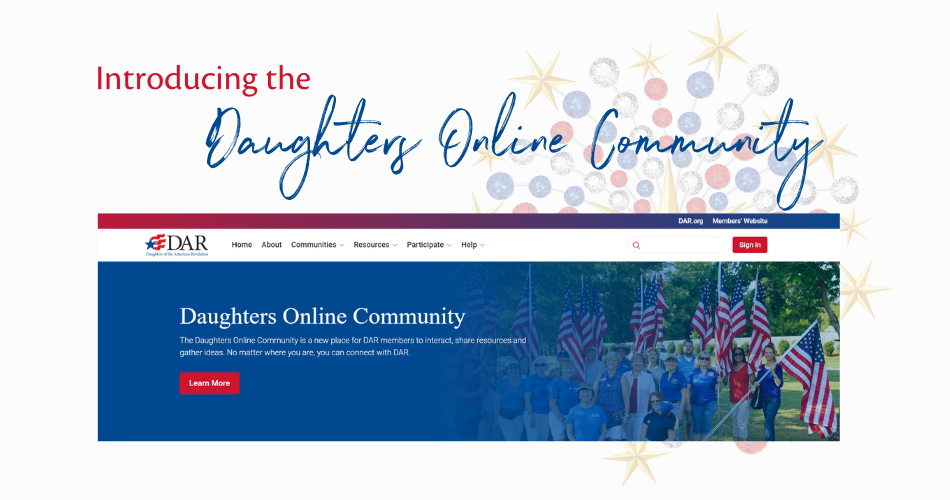
“With great excitement, my pleasure is to announce the launch of the Daughters Online Community, which is officially open for all members to explore! This initiative was announced during Sparkle in Service Leadership Week in October, and a team of more than 170 volunteers and staff has been working together to develop this private online platform where Daughters can share sparkling ideas and grow together in friendship. Please visit https://blog.dar.org/announcing-launch-daughters-online… to learn more about the community and how to log in!
First, though, I want to share “why” the Wright Administration has created this community for your use. Today’s DAR operates in the world of social media and always-on communications. Our members want to communicate with each other in that world. For the past few years, we have relied on Facebook for membership engagement with national committees, but we have realized the limitations of that platform. Creating a private online community allows us to provide a more secure environment for our participants. Our content will be organized and in control of NSDAR instead of an ever-changing algorithm over which we have no control. And, most importantly, we will reach the growing number of Daughters who have chosen not to use Facebook for many reasons. Facebook membership should not be a requirement for active DAR membership.
With the launch of the community—which you will sometimes hear called “DOC” for short—national committees with Facebook groups will stop accepting requests for membership and posting content on that platform. Members will be invited to join us at community.dar.org for conversation. (Don’t worry about remembering that URL—a link to the community is also on the Members’ Website.)
We know this will be a big change and you will have lots of questions. Please send those to community@nsdar.org“
5 Steps to Get Started in the Daughters Online Community
By Kate Johanns, National Chair of Public Relations & Media, and Deirdra Williamson, National Vice Chair of Public Relations & Media – Online Community
The big day is finally here, and we are thrilled to welcome you to the Daughters Online Community (DOC)! We are excited to have access to a one-stop shop for interaction with all of our national committees and more.
The best way to learn how to use the DOC is to jump right in and use it. Here are five steps to get started:
- Visit community.dar.org and sign in. How you sign in the first time will depend on whether you have e-Membership access. If you do, use those credentials. If you don’t, follow the on-screen instructions to set up your password. Remember—your password reset email will be sent to the email address you have on file in e-Membership, so be sure to look there for the link.
- Set up your member profile. Once you’ve signed in, click on the circle in the top right corner of the screen to access your profile. Include your picture and fill out your profile.
- Join a community. More than 40 national committees have communities open and ready for you to join. You’ll be asked to choose whether you want real-time email notifications of posts from the communities you join, daily digest emails or no emails at all.
- Add your contacts. Once you’re in the community, you will see suggested contacts. Add your friends and send messages to them!
- Post in a discussion thread. We have a special community set up called “Getting to Know the DOC” where you can ask how-to questions. Say hello to us there!“
Thank you Tennessee Members!
Emily